
Moneysurfers Onboarding WebApp
A learning platform that meets every user at their real level of financial knowledge
What was the problem at Moneysurfers WebAPP?
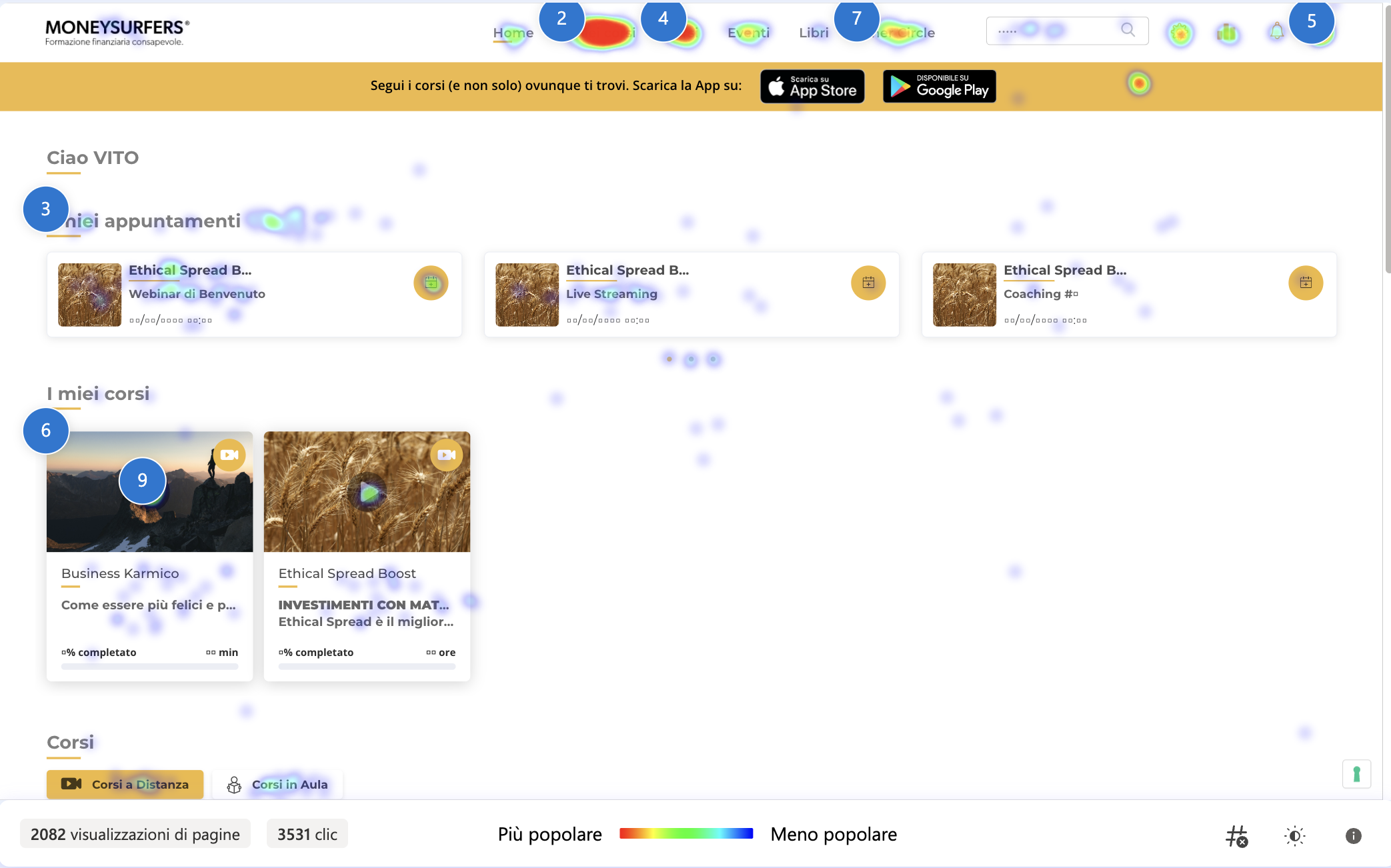
A new user joined the financial web app and must finish onboarding to start studying, but the survey gave no instructions and just took them to a dashboard showing locked and unlocked courses.
The user fills out the survey only for backend data, not to learn their financial status.
How it was?
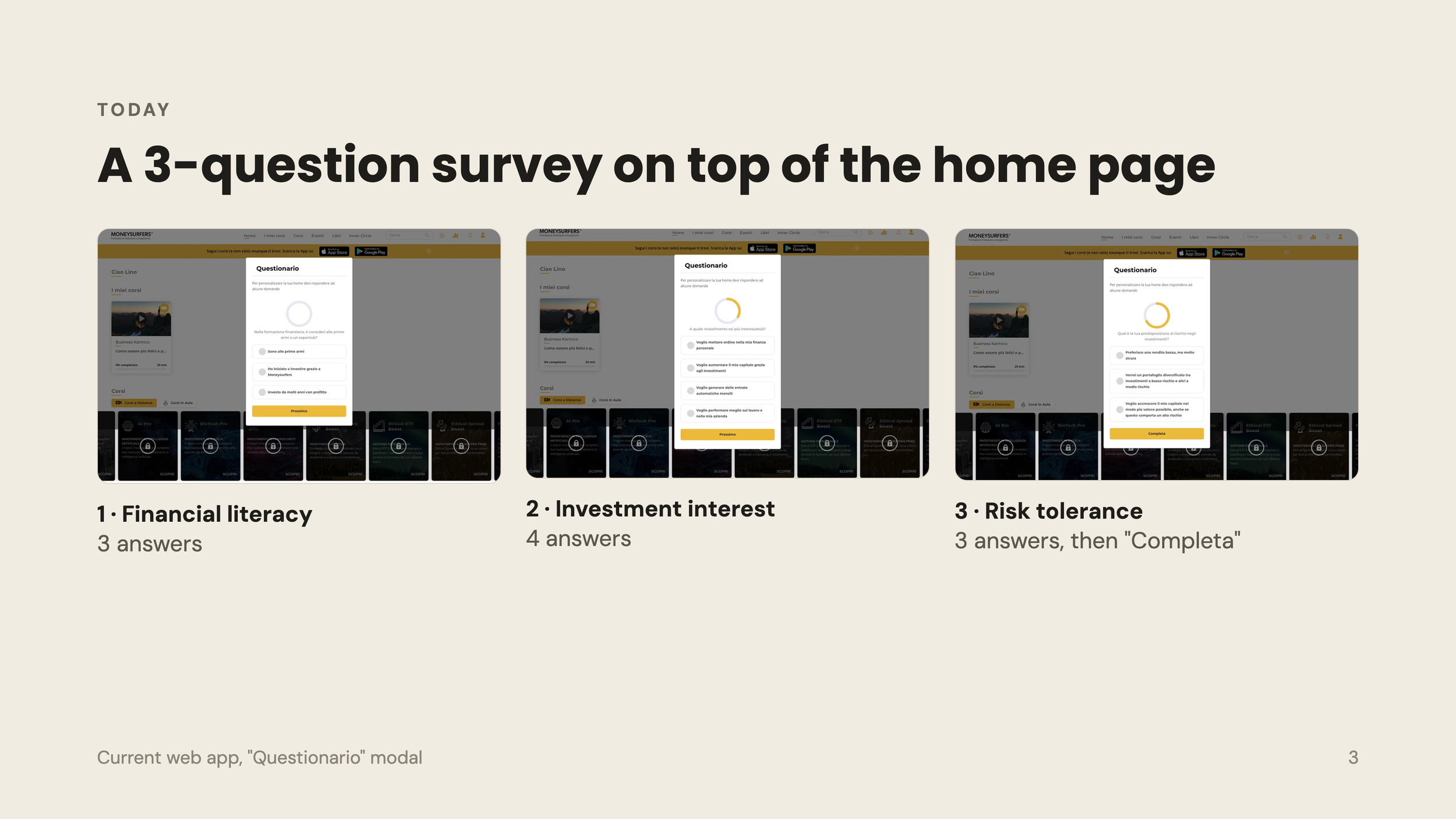
What the current flow was leaving out?
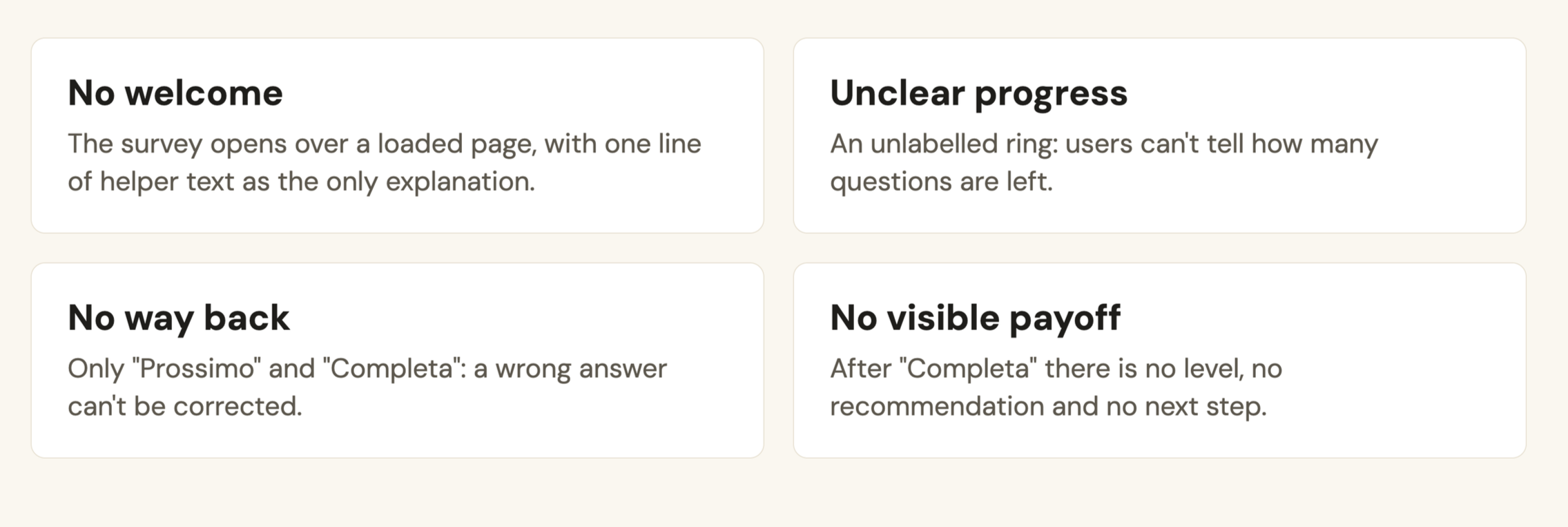
No welcome, Unclear progress, No way back and No visible payoff
After reviewing Clarity recordings and survey feedback, we found a key problem: users stop using the app after the survey and buy courses that don't match their skills.
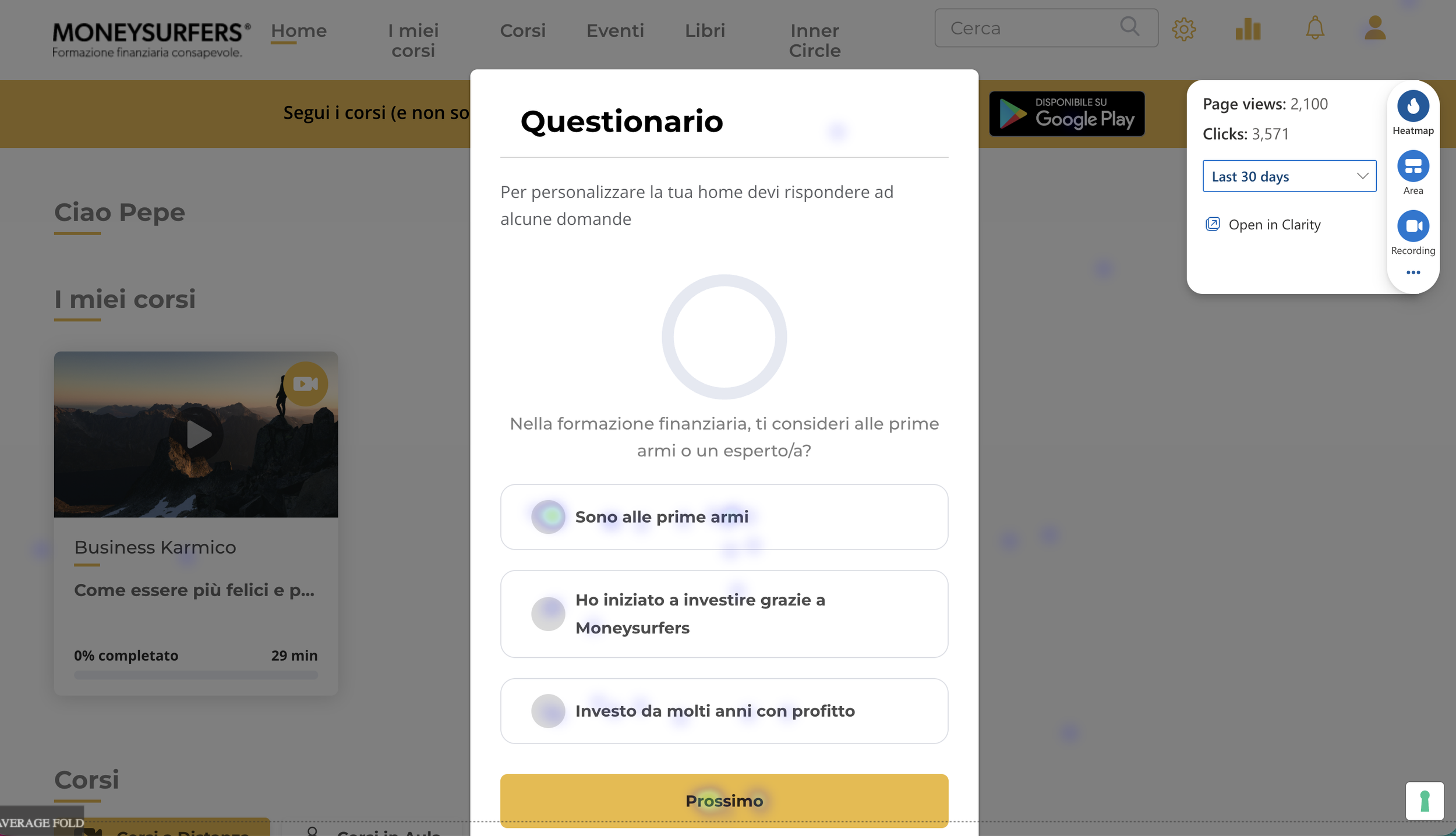
The proposal?
Use this survey to improve the user experience and offer clear starter courses to begin studying.
Expected outcome:
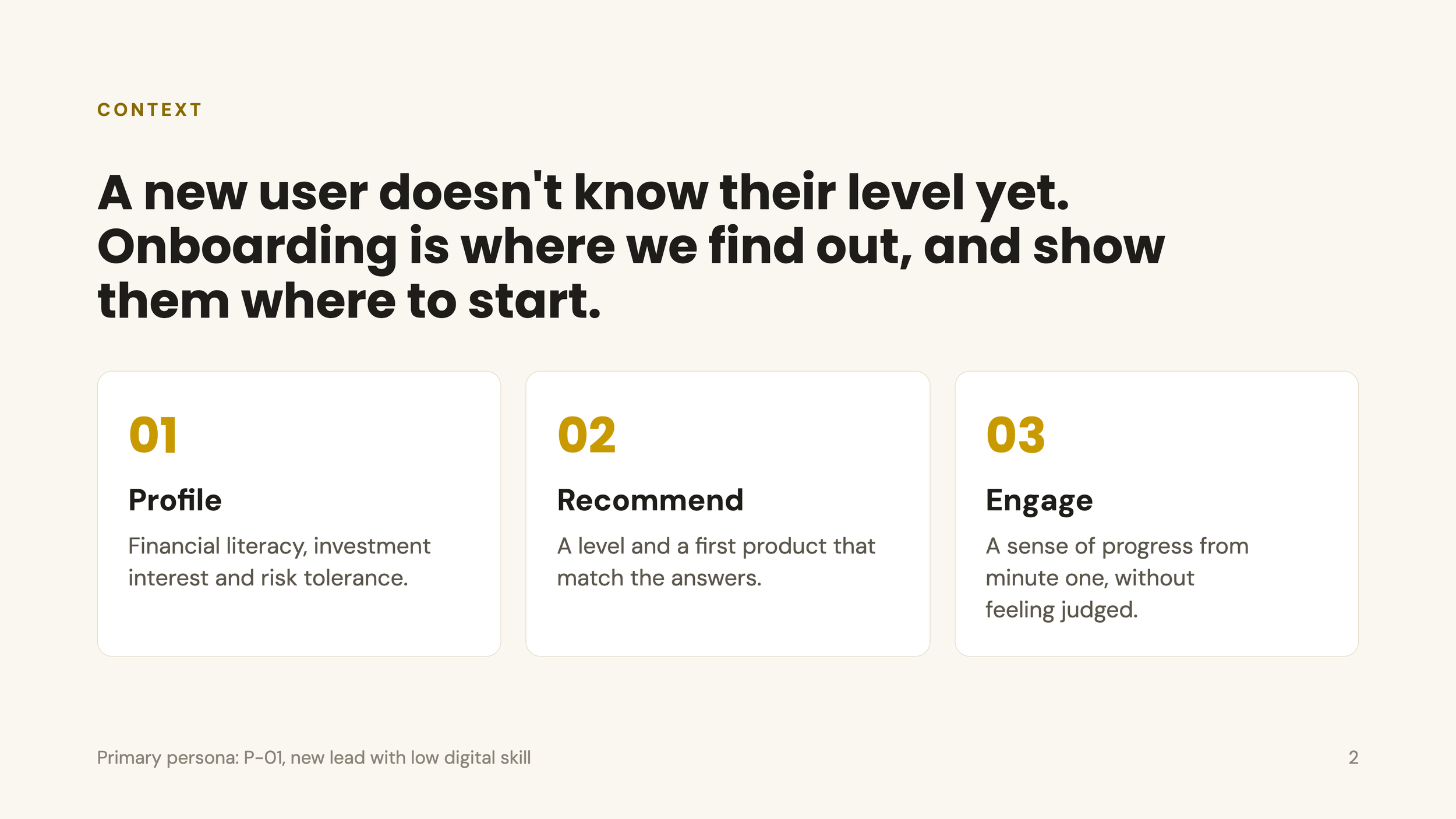
Better segmentation of users in the database. Better-matched offers for each group, and less frustration.
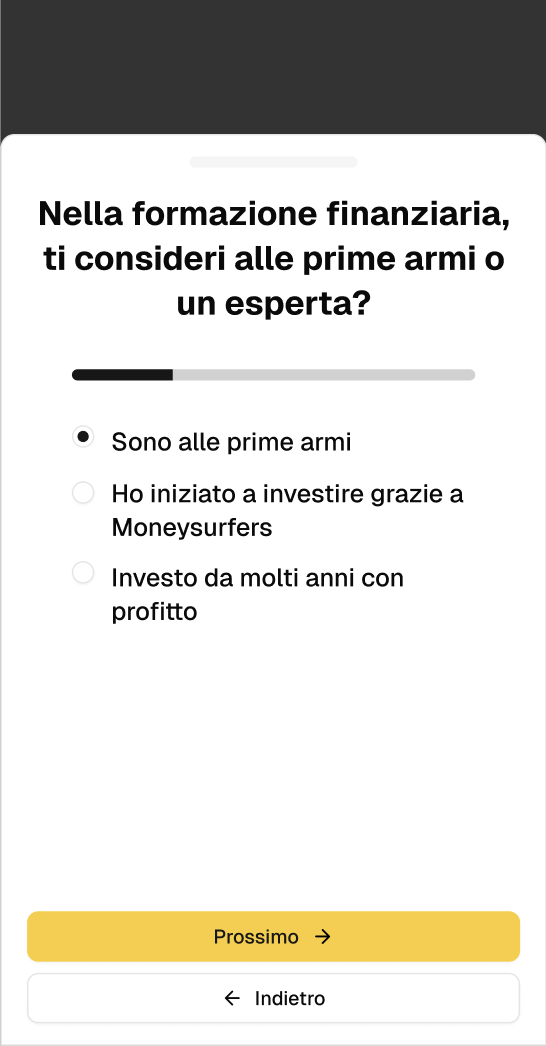
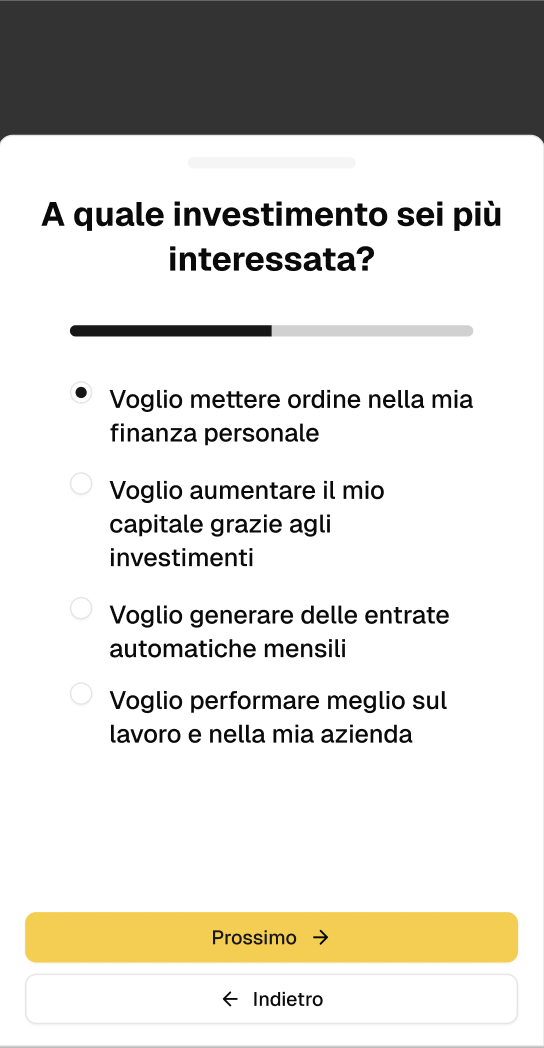
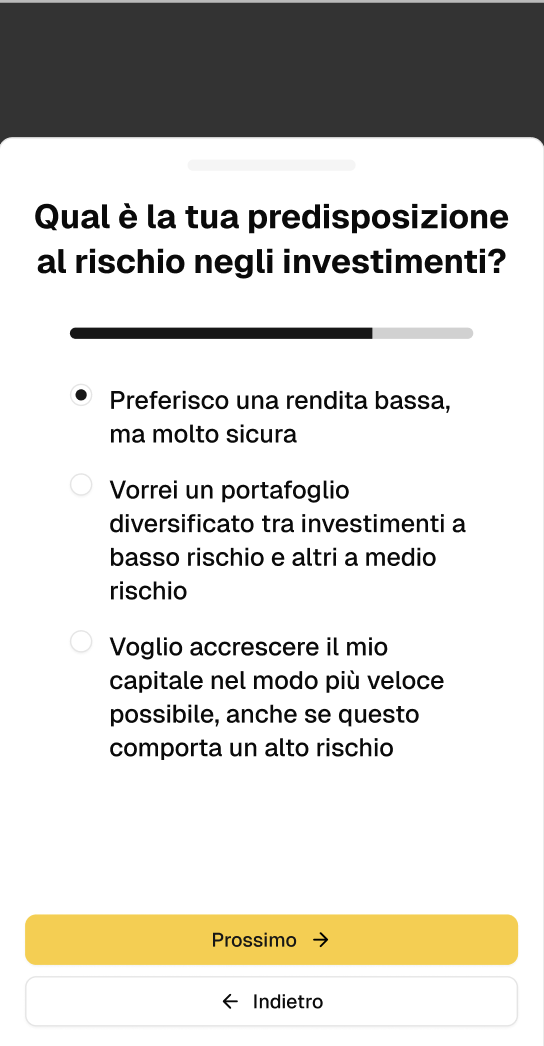
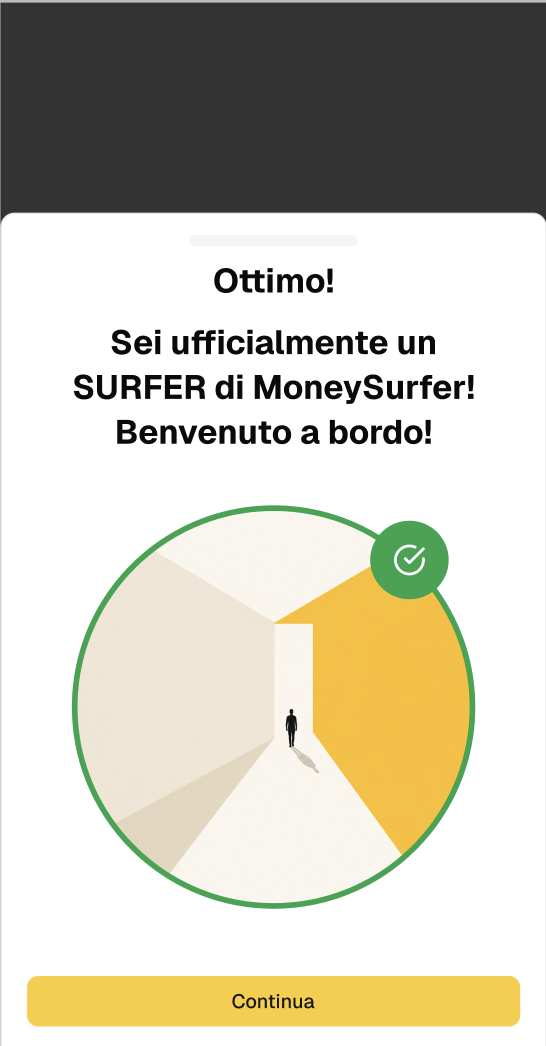
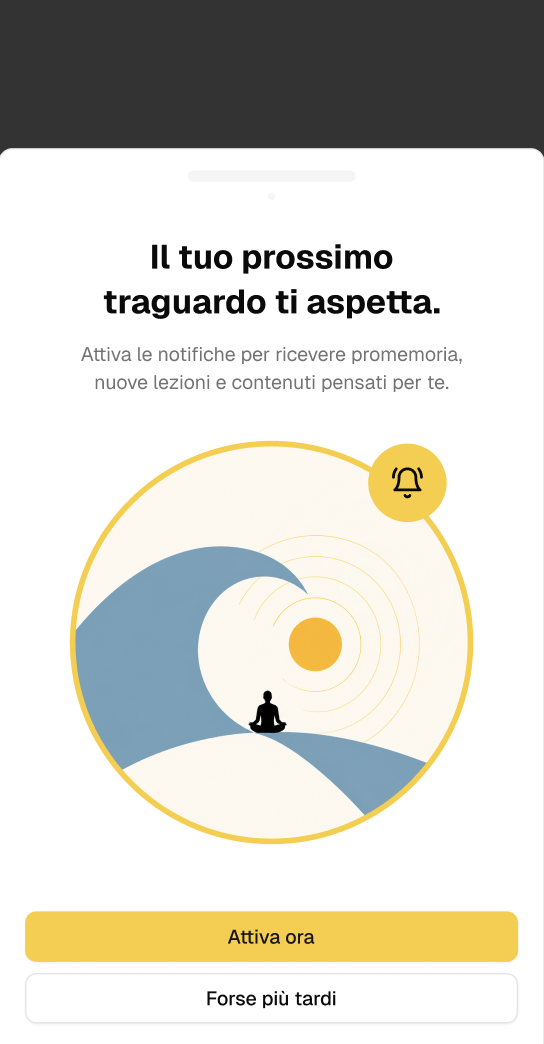
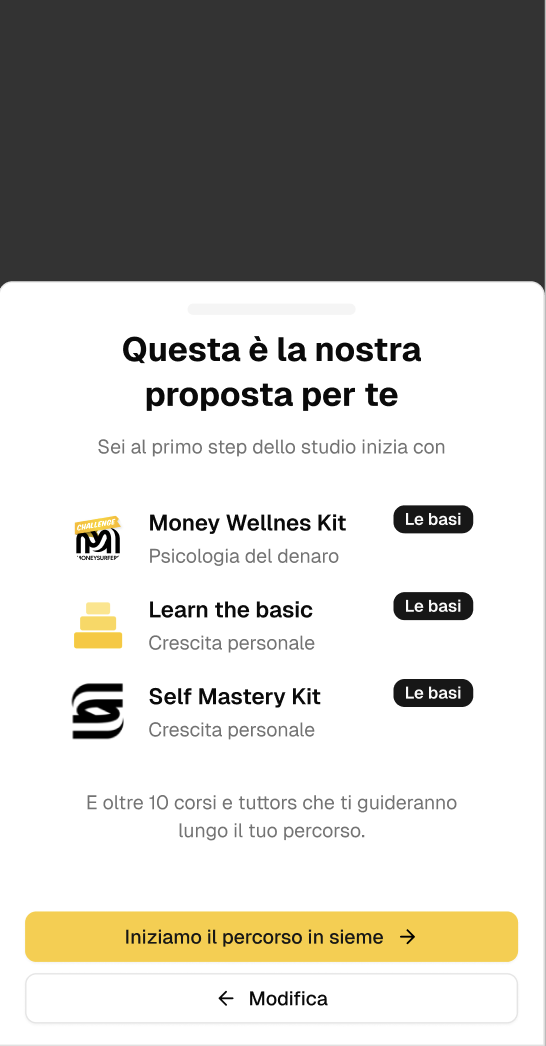
Steps to develop the onboarding
Problem framing: what’s wrong with the current survey, for whom, and the evidence behind it.
Personas: the two research personas (Giulia, a beginner who signs up on her own, and Marco, who paid first), plus three level personas (Luca for Beginner, Elena for Intermediate, Davide for Advanced).
Ideation and flow redesign: the new-step wizard with a welcome, visible progress, back navigation and a payoff. It has two branches: one for users who sign up on their own and one for users who paid first.
Prototype: the mockups, from the wizard to the first-access dashboard.
Affinity diagram
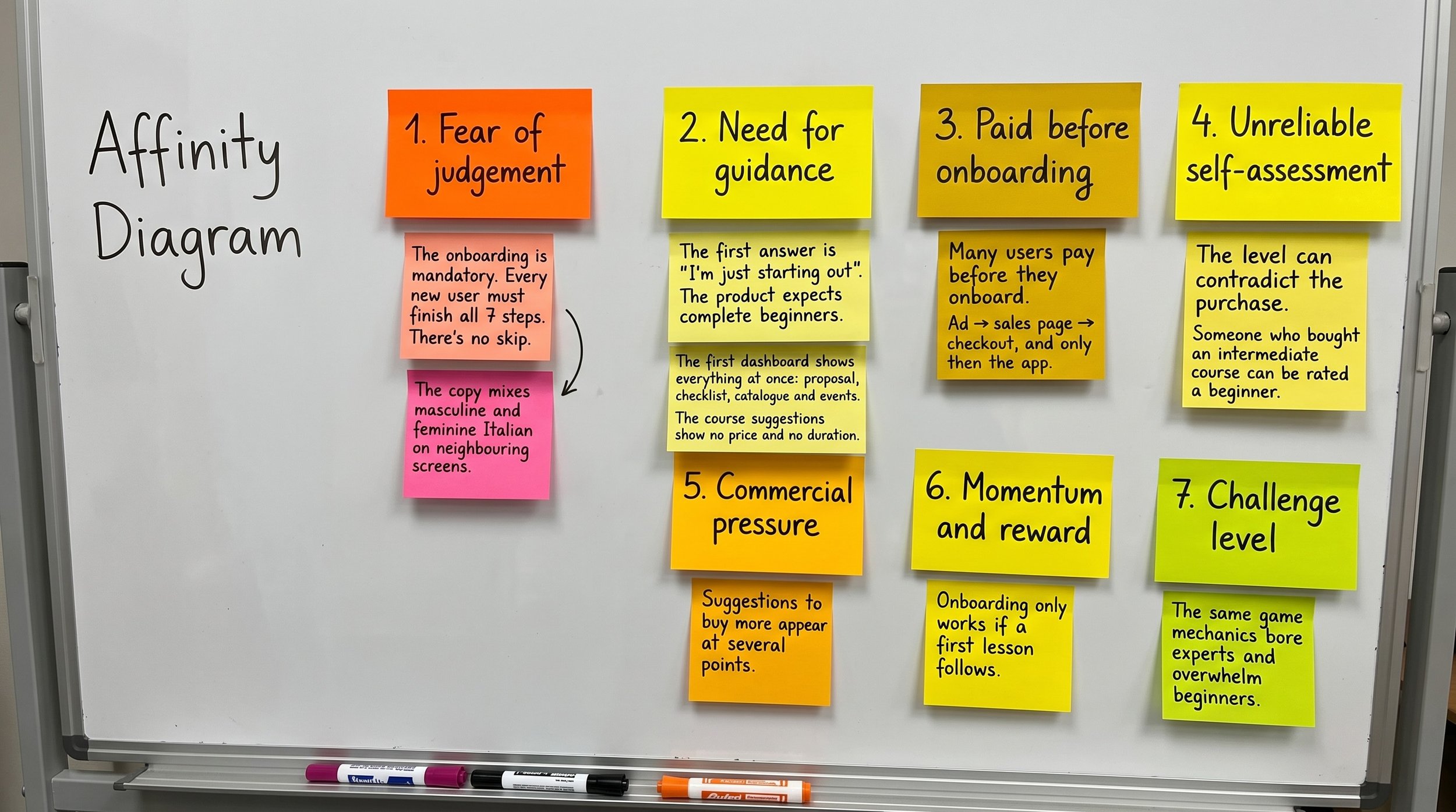
I wrote each finding on its own sticky note: 23 in all, drawn from discovery sessions with the Product Owner, the onboarding designs, the course catalogue and the agreed product rules. Grouping them bottom-up gave seven clusters, from fear of judgement to challenge level. These connected into three questions every user silently asks: Am I good enough? Is this worth it? Will I actually start?
Personas
A user signs in for the first time and sees four knowledge levels: Basics, Beginner, Intermediate, and Advanced.
The user, pushed by FOMO, bought a course after the webinar, whether his survey score matches the required level or not.
I started with one: a beginner signing up for the first time. She covered "Am I good enough?" and "Will I actually start?", but not the users who pay first and onboard second. Those people arrive with a different trigger, a different emotion and even a different final screen. So I added a second persona. On the research alone, two personas were enough.
Then the product gave me a second lens. After the survey, the app places every user on one of four knowledge levels: Basics, Beginner, Intermediate and Advanced. The team needed to picture a real person at each level, so I extended the set:
Giulia already is the Basics user.
Luca, Elena and Davide cover Beginner, Intermediate and Advanced.
Marco sits across the levels: what defines him is that he paid before onboarding, not how much he knows.
The three level personas rely more on assumptions than Giulia and Marco do, and I marked them that way. There was also no agreed rule yet for which answers lead to which level, so each persona's level is a hypothesis too.
Ideation and flow redesign
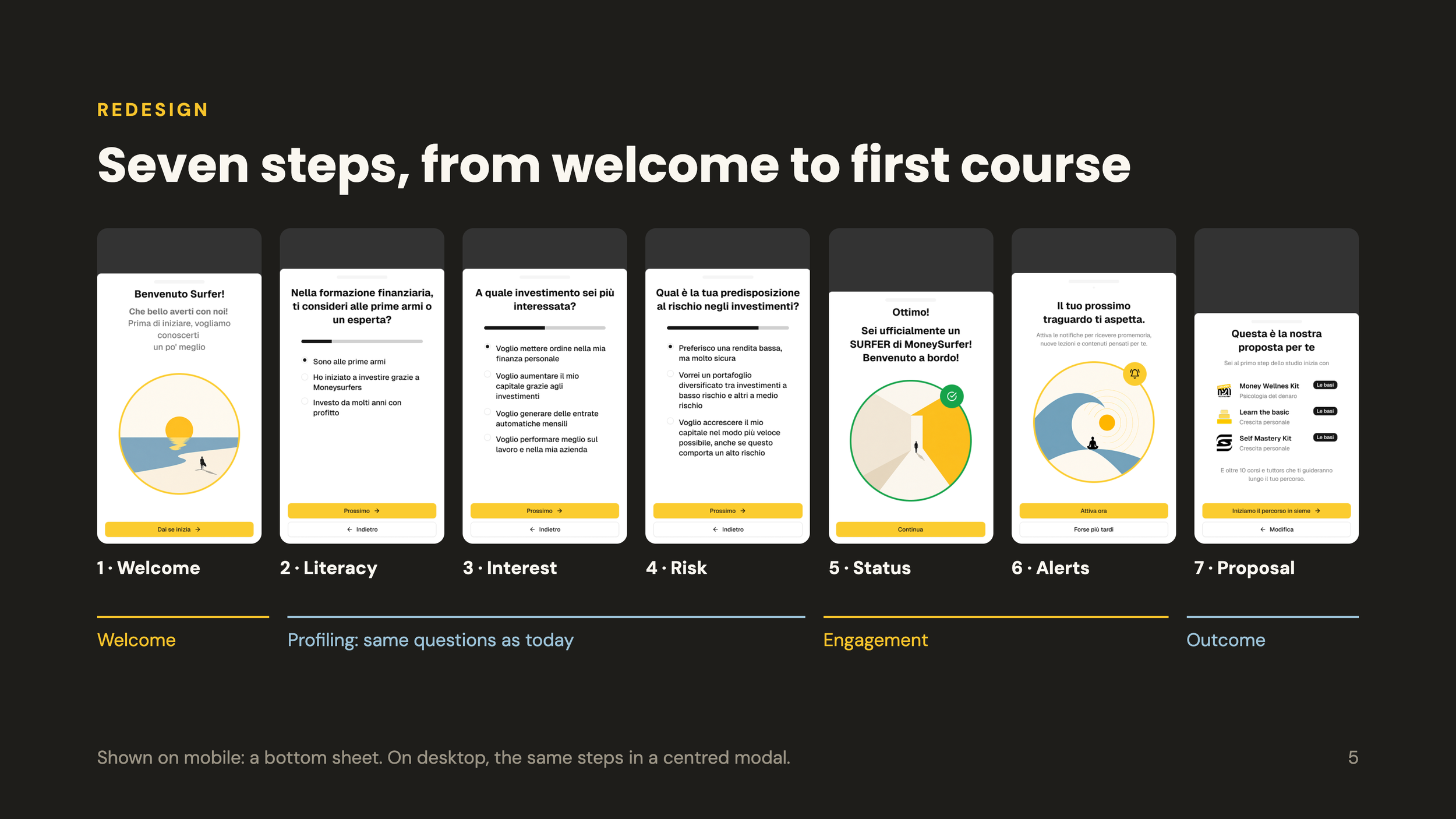
The survey was redesigned as a 7-step wizard that fixes the four gaps:
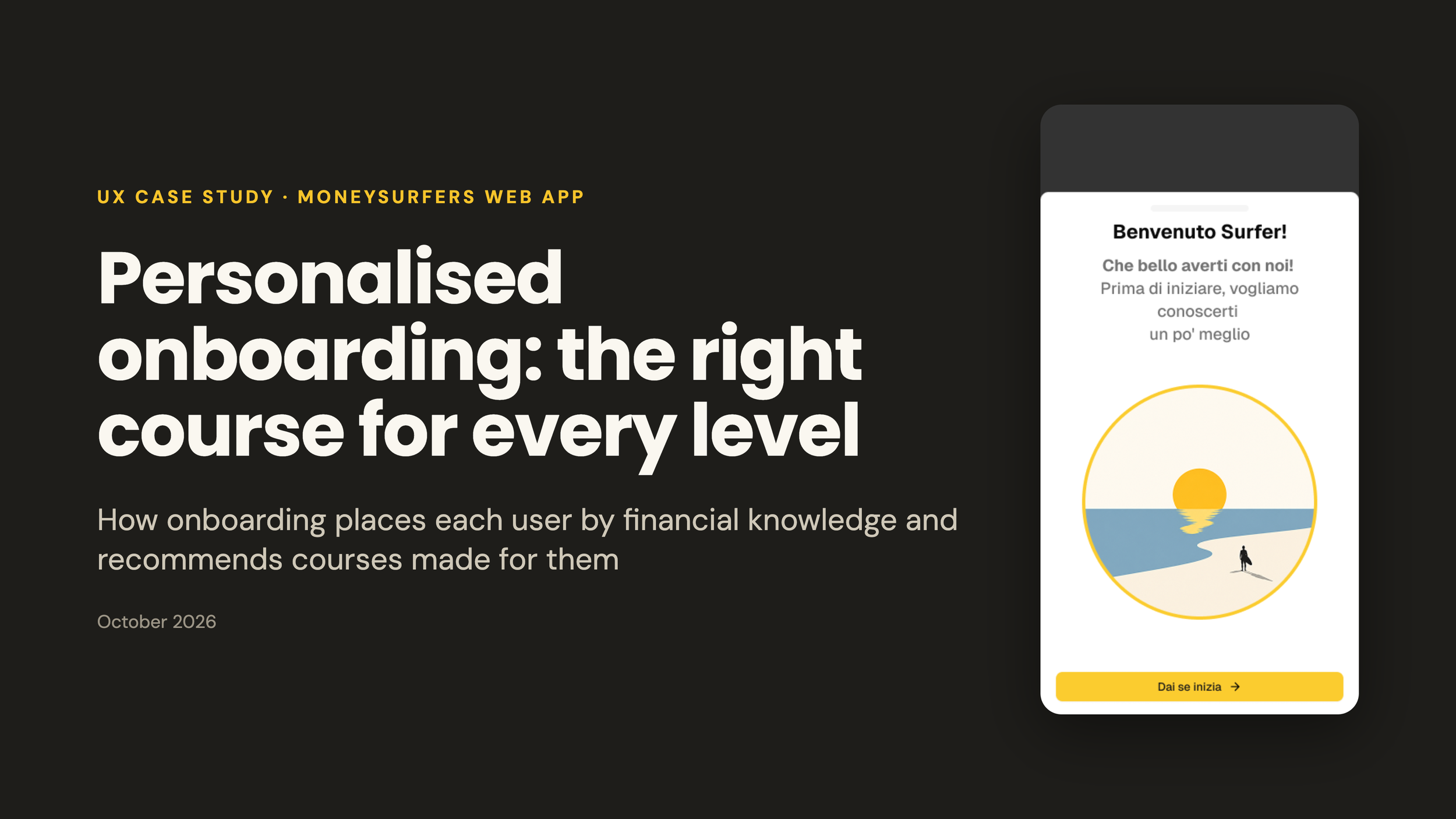
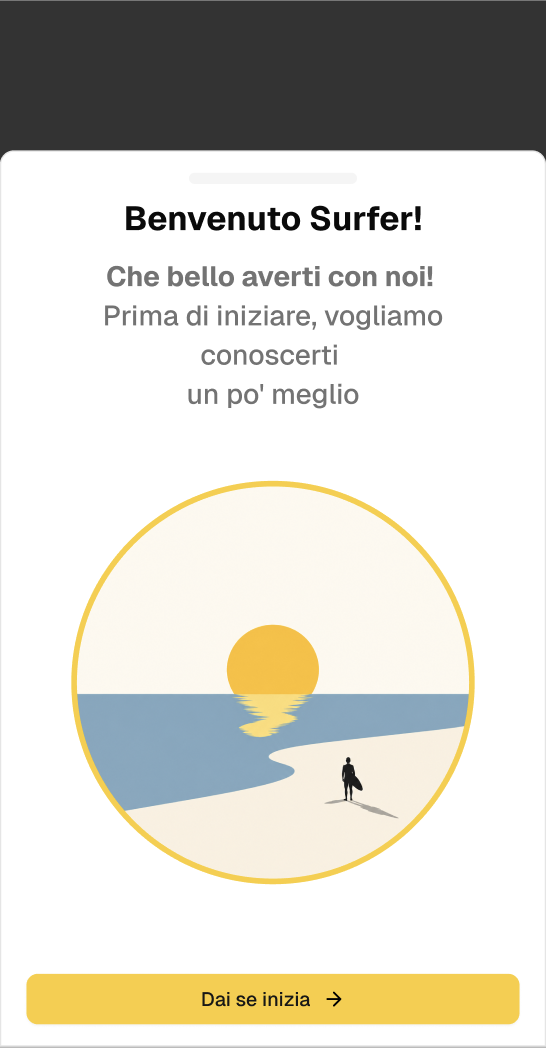
Welcome: a friendly opening screen (“Benvenuto Surfer!”).
Progress: a visible step counter and progress bar.
Back navigation: “Indietro” keeps earlier answers; changing an answer resets only the steps after it.
Payoff: a “SURFER” status, a notification prompt, and a proposal of three starter courses for the user’s level.
Users who sign up on their own get that level-based proposal. Users who paid first see only the courses they bought, each with a CTA to start right away (the main course gets the primary button). Below that is an optional, low-key layer of courses that help with what they bought, and a non-blocking banner flags any level mismatch later.
Prototype
Two linked, clickable mockups cover the full path:
The wizard, with both final-step branches.
The first-access dashboard, where every user lands after the wizard.
It repeats the course proposal with “Inizia” (Start) buttons.
It adds a getting-started checklist (“Come surfare l’onda a Moneysurfer”), the course catalogue by level and “Rifai il test di consapevolezza” to retake the test.
Each proposed course also says completing it earns a certificate.
